
SIGNL4 Integration with PatchMon
PatchMon is an open-source patch and server management platform for monitoring updates, security exposure, compliance, and host health across your infrastructure. It also provides patch-run tracking and Docker monitoring.
By forwarding selected PatchMon events to SIGNL4 through a webhook, you can notify the responsible on-call engineer via mobile app push, SMS, and voice calls. SIGNL4 adds duty scheduling, acknowledgement, and automated escalation when an urgent issue needs human attention.
Typical use cases include:
- Failed patch runs: Alert the on-call administrator when a scheduled patch operation fails and requires investigation.
- Outstanding security updates: Escalate when a server exceeds a configured threshold for pending security patches.
- Host availability: Notify the operations team when a monitored host stops reporting or goes offline.
- Compliance issues: Forward important compliance scan results for timely review and remediation.
- Docker monitoring: Alert the responsible engineer when a monitored container stops unexpectedly.
Prerequisites
- A running PatchMon instance, self-hosted or on PatchMon Cloud, with webhook notifications available.
- Permission to manage notification destinations and event rules in PatchMon.
- A SIGNL4 account and a team that should receive the alerts.
How to Integrate
PatchMon sends matching events to a generic webhook destination. The integration requires both a webhook destination and an event rule that forwards the desired events to it.
1. Get Your SIGNL4 Webhook URL
- Sign in to SIGNL4 and select the team that should receive PatchMon alerts.
-
Go to Teams > Integrations > Webhook and copy the team’s webhook URL. Its format is:
https://connect.signl4.com/webhook/YOUR_SIGNL4_SECRET
Keep this URL private, as it contains the SIGNL4 team or integration secret. See the SIGNL4 Webhook integration for more information.
2. Configure the PatchMon Webhook Destination
- Sign in to the PatchMon web portal.
- Go to Reporting > Destinations and click Add destination.
- Select Webhook and click Next.
- Enter a display name, such as
SIGNL4, and paste the SIGNL4 webhook URL into Webhook URL. - Leave the destination Enabled and click Create.
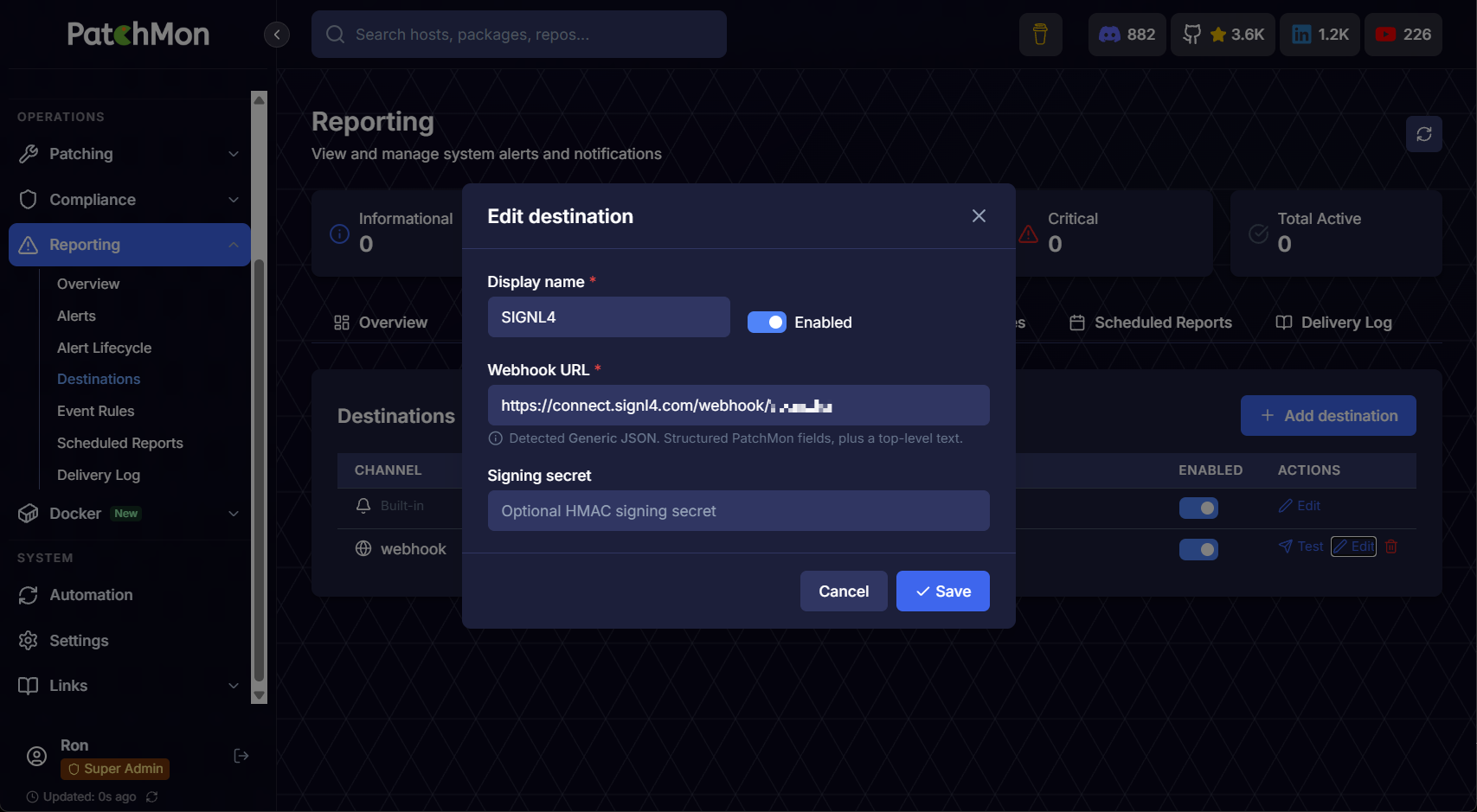
PatchMon webhook destination configured to send notifications to SIGNL4.
3. Route PatchMon Events to SIGNL4
- Go to Reporting > Event Rules and click Add event rule.
- Select the
SIGNL4webhook destination. - Choose the events that require a mobile response, for example failed patch runs, host-down events, exceeded security-update thresholds, or stopped containers.
- Optionally limit the rule by minimum severity, host group, or specific hosts to avoid unnecessary alerts.
- Keep the rule enabled and save it.
For example, route failed patch runs and critical security-update threshold events to SIGNL4, while keeping routine patch-completion messages in PatchMon. The event types and available filters depend on your PatchMon configuration.
4. Test the Integration
- In Reporting > Destinations, find the
SIGNL4destination and use its Test action. - Check that the test notification arrives in the SIGNL4 mobile app.
- Trigger or wait for a matching PatchMon event to verify that the event rule forwards actual alerts.
- If an event does not arrive, check Reporting > Delivery Log for its delivery status and errors, and verify the event rule and destination are enabled.
An alert in SIGNL4 might look like this:
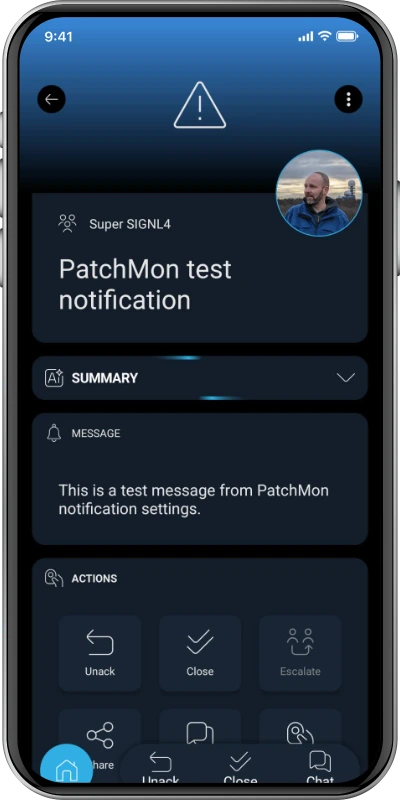
Example mobile alert in SIGNL4.
Once configured, SIGNL4 can route important PatchMon events to the available on-call team and escalate them if nobody responds.